











When you're using a DTF printer, managing the ink is super important; it can make or break your print quality, speed, and even how long the machine lasts. There are usually two ways to refill: automatic or manual. So, which one’s the better fit for you? Let’s have a look.
1. Manually fill into The Ink Dampers

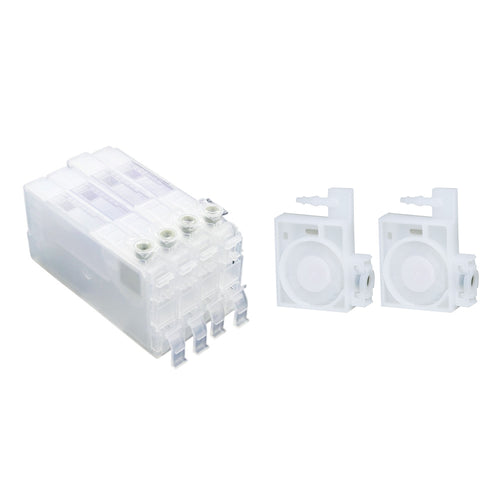
Manual DTF ink filling is the most traditional approach. Users need to use a syringe to fill ink into the ink dampers.
Advantages
- Low cost: The mechanism is simple, with no need for other automated parts, so DTF printer prices are relatively lower.
Pros
Ideal for tight budgets: Low printing volumes and tight budgets can utilize manual ink filling as a convenient and adaptable solution.
Cons
- Low efficiency: Constant refilling of ink, especially in extended production runs, can slow down the overall workflow.
- Higher risk of mistakes: If not handled carefully, ink may spill, air may enter the DTF ink system, or ink may be overfilled, all at the expense of print quality.
- Human error: Operators may make mistakes that cause the ink dampers to run low, leading to interrupted DTF printing, or mix the colors. At the same time, manually filling DTF ink is quite easy to make a mess, getting ink all over your hands, so reco to wear a glove.
2. Features of Automatic
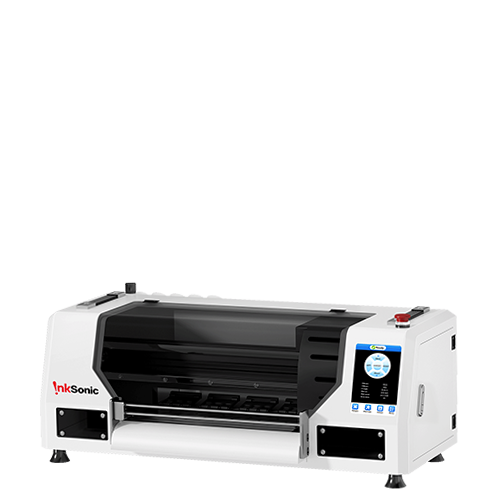
Automatic ink filling usually comes with an ink circulation pump (like InkSonic C13A, E13A) or a self-developed mainboard (InkSonic U13).
For example, with the InkSonic C13A, pressing the one-click ink setup button is like turning on a switch—the ink is automatically pumped into the ink dampers. Releasing the button is like turning off the switch, and the ink filling stops. The InkSonic U13 achieves automatic through the “Load In” function in the software.
Advantages
- Saves time and enhances efficiency: No need for constant manual operation, you only need about 60 seconds to complete the ink filling process. The printer can print for hours continuously—a good option for mass production.
- Stable printing output: Constant-pressure ink supply ensures smooth ink flow and more stable color output.
- Less human error: Reduces problems like nozzle clogging and ink waste caused by incorrect operation.
- More professional and automatic: Normally integrated with circulation systems to prevent white ink sedimentation and printhead lifespan.
Cons
- Higher cost: The system adds to equipment and maintenance expenses, requiring more upfront investment. But now, InkSonic’s latest printer with one-click ink setup is on a new product promotion. You can get one for just a few hundred extra.
- Replacement is more complicated: If the sensor or ink pump fails, repairs can be tricky and a little bit costly. However, daily care is simpler, and the Inksonic team offers 24/7 professional guidance to help you manage it easily.
- Not ideal for occasional users: For those who use the printer only sometimes, the benefits of an automatic system may not be obvious.
3. Manual VS. Automatic
Dimension |
Manual |
Automatic |
Cost |
Low |
A little bit higher |
Efficiency |
Low, requires manual intervention |
High, stable long runs |
Stability |
Operator-dependent, unstable |
Stable, consistent output |
Daily Maintenance |
More complicated |
Simple |
Best for |
Small users, beginners, budget-constrained |
Factories, bulk orders, professionals |
4. Suitable Scenarios for Manual and Automatic Ink Fill
Startups and small studios
If you're a startup with minimal orders and limited capital, manual ink filling is ideal. Its low cost enables you to enter the market quickly.
Small to medium print shops
When orders are growing on a consistent basis, you might wish to upgrade to semi-automatic machines or entry-level ink supply machines. They offer a good balance between cost and efficiency.
Large production workshops
If your machines are running 8–12 hours a day, filling large orders, automatic ink filling is pretty much a necessity. It ensures consistent output, less labor, and higher profit in general.
5. Cost and Long-Term Investment in Ink Filling
- Automatic: While more expensive up front, it lowers labor costs, reduces ink waste, and lessens the potential for nozzle damage caused by human mistakes. For high-volume users, this is a “high investment, high return” model.
- Manual: Cost-saving at first, but inefficiency and nozzle replacement frequency may balloon hidden costs in the future. So, your choice has to be in line with your business size and growth plan.
6. How to Choose Manual Or Automatic
Still unsure? Ask yourself the following questions:
What's your average monthly order quantity?
- Small orders → Manual
- Large orders → Automatic
What's your budget?
- Low investment → Manual
- Adequate budget, need efficiency → Automatic
Do you need flexibility or stability?
- Flexibility for small work → Manual
- Stable constant output → Automatic
7. Conclusion
Manual or automatic ink filling, it's all a matter of a tradeoff between cost, efficiency, and stability.
- Manual: Suitable for beginners, small studios, or budget-limited users. Low cost and flexible.
- Automatic: Suitable for professional users and factories. Efficient, stable, and perfect for mass production.
If you're a starter, start with manual filling. Once your orders are boosted, you can shift to automatic systems. This eliminates risk and gives you more hands-on experience.
Finally, there is no right or wrong here—only what's right for you. Knowing your own business size and in which direction you're going will serve you better in DTF printing.


